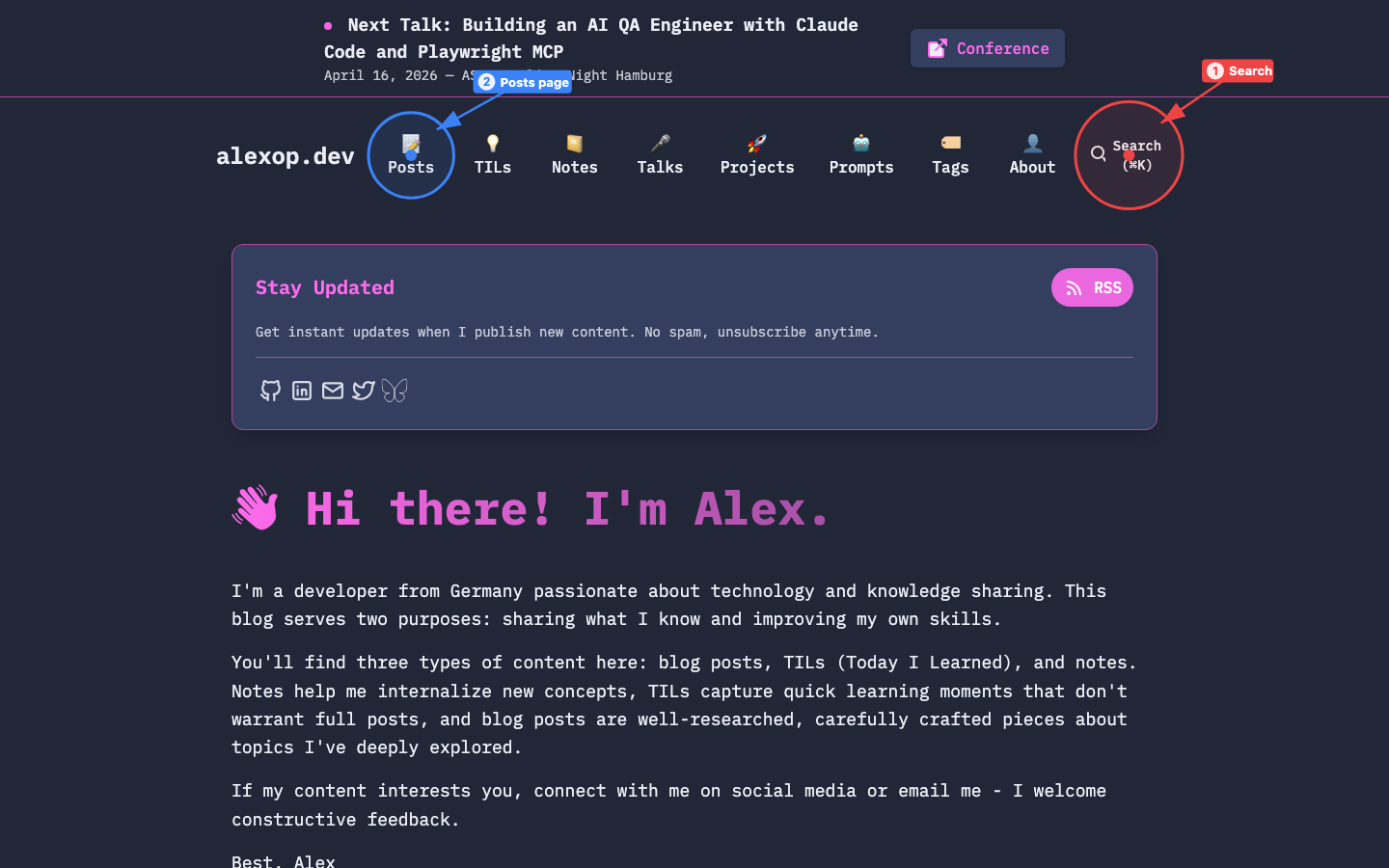
I built a skill that takes annotated screenshots of any web app or live website and generates a markdown visual guide. It works with Claude Code, Cursor, Windsurf, or any AI coding agent that supports custom skills.
A skill is a markdown file with instructions for a coding agent. It describes how to perform a specific task and can reference CLI tools, APIs, or other resources. You write the steps in markdown, the agent follows them. A general-purpose coding agent with the right skill becomes a specialist, no code changes needed. For a deeper look at how skills fit into the broader ecosystem, see the guide to CLAUDE.md, skills, and subagentsClaude Code Customization Guide (2026): CLAUDE.md vs Skills vs SubagentsWhen should you use CLAUDE.md, a slash command, a skill, or a subagent in Claude Code? A decision guide with real examples for each, so you stop guessing which one fits the job..
Documenting UIs is tedious. You open the app, take a screenshot, annotate it in some tool, write descriptions, repeat for every page. Automate it.
The skill uses agent-browser, a headless browser automation CLI built by Vercel specifically for AI agents. Instead of heavy tools like Playwright, it provides a lightweight snapshot + refs system that lets agents navigate, click, and screenshot pages with minimal context usage. It works with Claude Code, Codex, Cursor, Gemini CLI, and more.
You point your coding agent at a local dev server or a public URL and it does the rest:
- Discovers pages by reading the site’s navigation
- Screenshots each page with SVG annotations injected directly into the DOM
- Generates a markdown file with numbered references to each annotation
Annotations come in three types: box for sections, click for interactive elements, and circle for general callouts. Each screenshot gets up to 3 annotations with auto-rotating colors. If you like auto-generated visual docs, the walkthrough skillBuilding a Walkthrough Skill for AI Coding AgentsHow I built a skill that generates interactive codebase walkthroughs with clickable Mermaid diagrams—works with Claude Code, Amp, and any agent that supports the skills standard. does something similar for codebases with interactive Mermaid diagrams.
## Homepage
The landing page shows a hero banner with seasonal promotions.
Use the **Search** bar (1) to find products.
The **Category navigation** (2) provides access to all departments.
It handles cookie banners, lazy-loaded content, bot protection. You can document otto.de, github.com, or your own staging environment with the same command.
Install the prerequisite:
npm install -g agent-browser && agent-browser installThen tell your coding agent:
"Screenshot the app"
"Document otto.de with screenshots"
"Give me a visual guide of the checkout flow"
The skill figures out whether you mean a local dev server or a live URL and adapts accordingly.
GitHub: github.com/alexanderop/app-screenshots
If you’re building your own skill library, see how I built a skill for searching Claude’s conversation historyHow I Built a Skill That Lets Me Talk to Claude's Conversation MemoryHow I built a skill that lets Claude search its own conversation history, turning it into a persistent coding partner that remembers past solutions..